Check Your Metrics
The Metrics tab is where you track your body over time: weight and measurements, with a history of the entries you log.
1. Open the Metrics Tab
From anywhere in the app, tap the Metrics tab in the bottom navigation bar.
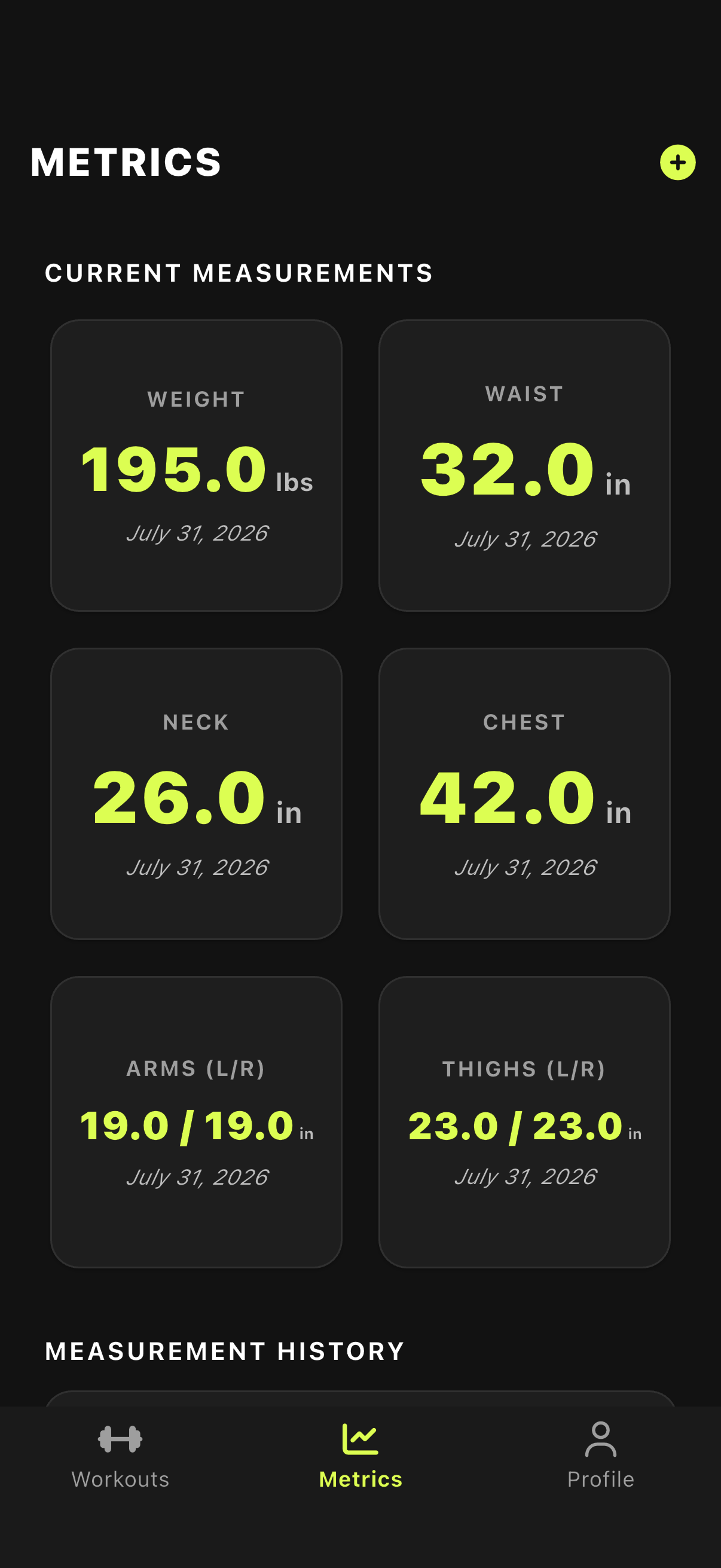
Tap the Metrics tab
2. Log and Review Your Measurements
- Current Measurements: Your latest weight, neck, chest, waist, arms and thighs at a glance.
- Log Metrics: Record a new entry. Log just your weight or a full set of measurements.
- Measurement History: Your recent entries, newest first. Swipe an entry to delete it if you made a mistake.
Logging a new weight also updates the current weight on your profile.
3. Lifetime Training Stats
Your Profile tab shows lifetime totals: how many workouts you have completed and the total volume you have logged.