Swipe Functions
To maintain a fast, one-handed operation throughout your workout, Gym Vibes heavily utilizes gesture-based Swipe Functions on almost every screen.
Logging Sets with Swipes
When you are on the exercise logging screen, you don’t need to hunt for tiny checkboxes to mark a set as complete.
- Swipe Right (Left-to-Right) on a set row to instantly mark it as Complete. The row will highlight with the neon accent color.
- Swipe Right again on a completed set to mark it as incomplete.
Deleting Data
Cleaning up mistakes is just as easy:
- Swipe Left (Right-to-Left) on a set row to reveal the Delete action.
- This same Right-to-Left swipe gesture works on the active workout dashboard to remove entire exercises from your routine.
These fluid, physics-based gestures ensure that interacting with your digital notebook feels as natural as crossing out a line on a piece of paper.
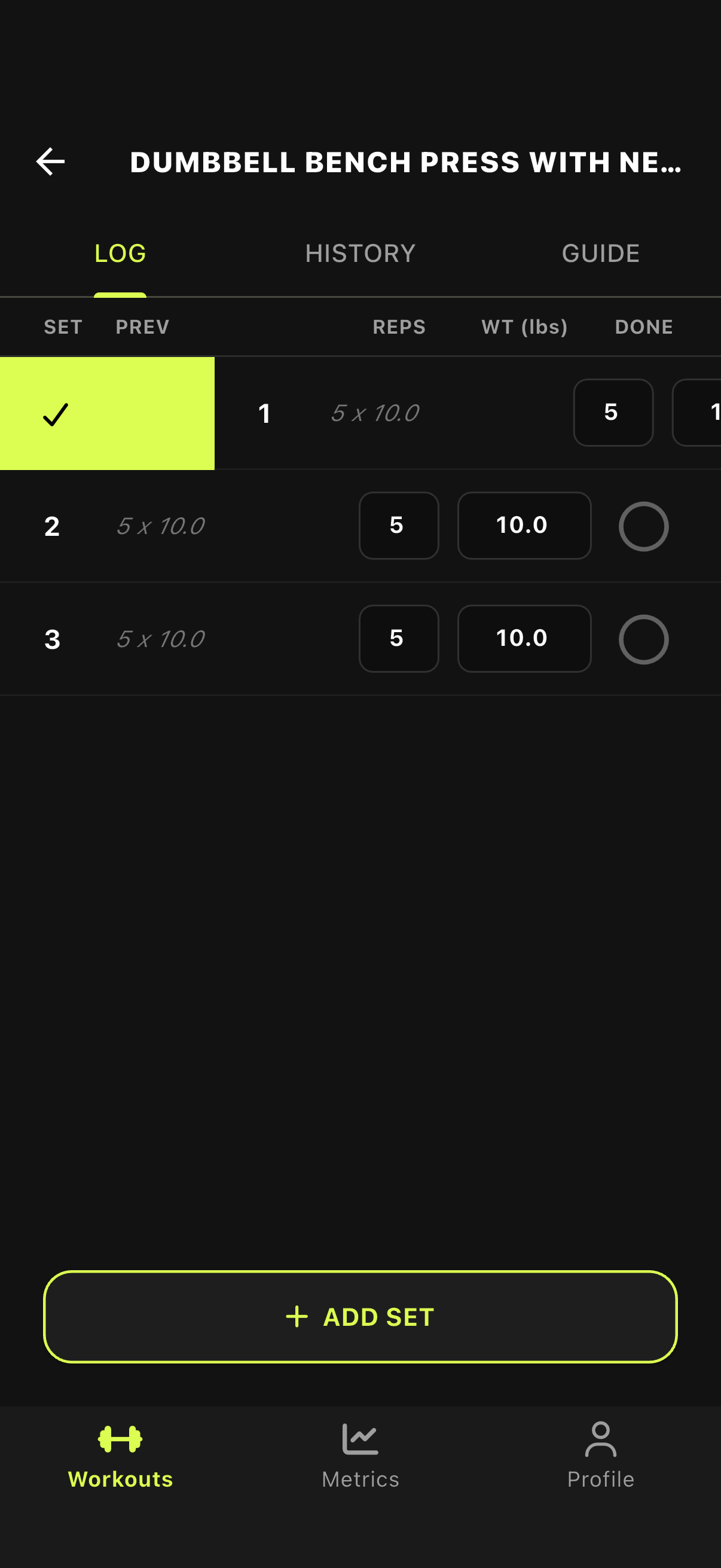
Complete Set: Swipe Right
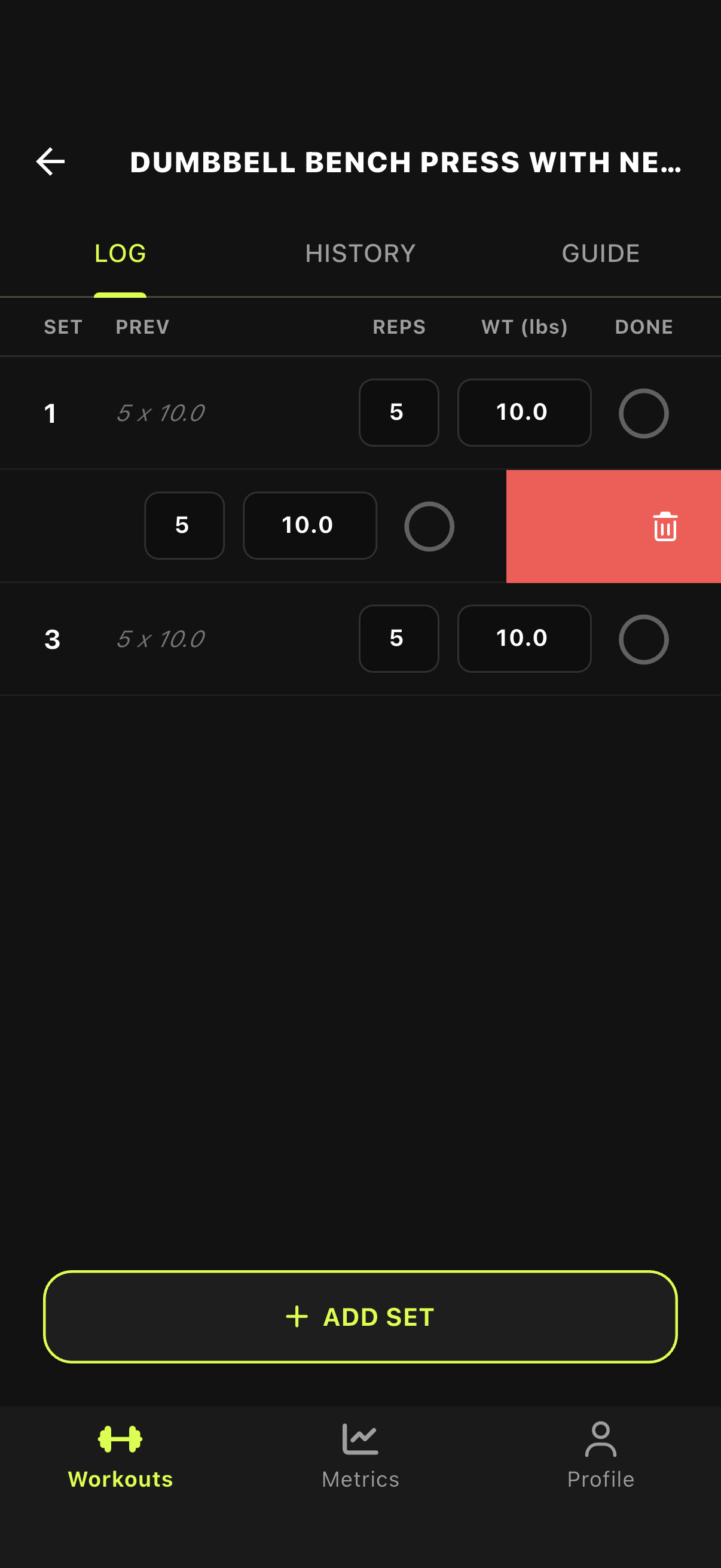
Delete Set: Swipe Left