Supersets
Training efficiency is paramount. Gym Vibes supports comprehensive Superset functionality, allowing you to group multiple exercises together and execute them back-to-back.
Creating a Superset
- Add two or more exercises to your active workout.
- Swipe right on the exercise cards you want to group together to select them.
- Once multiple exercises are selected, tap Link in the floating action bar that appears at the bottom.
- The UI will instantly update, binding the exercises together with a distinct “SUPERSET” visual bracket.
The Superset View
Once a Superset is created, Gym Vibes enables a specialized horizontal view.
Instead of scrolling vertically through a long list of exercises, grouped exercises are displayed in a horizontal carousel.
- You can log your set for Exercise A.
- Swipe horizontally to immediately slide over to Exercise B.
- Log your set for Exercise B, then swipe back.
This mirrors the physical reality of moving between different stations in the gym and keeps your screen uncluttered.
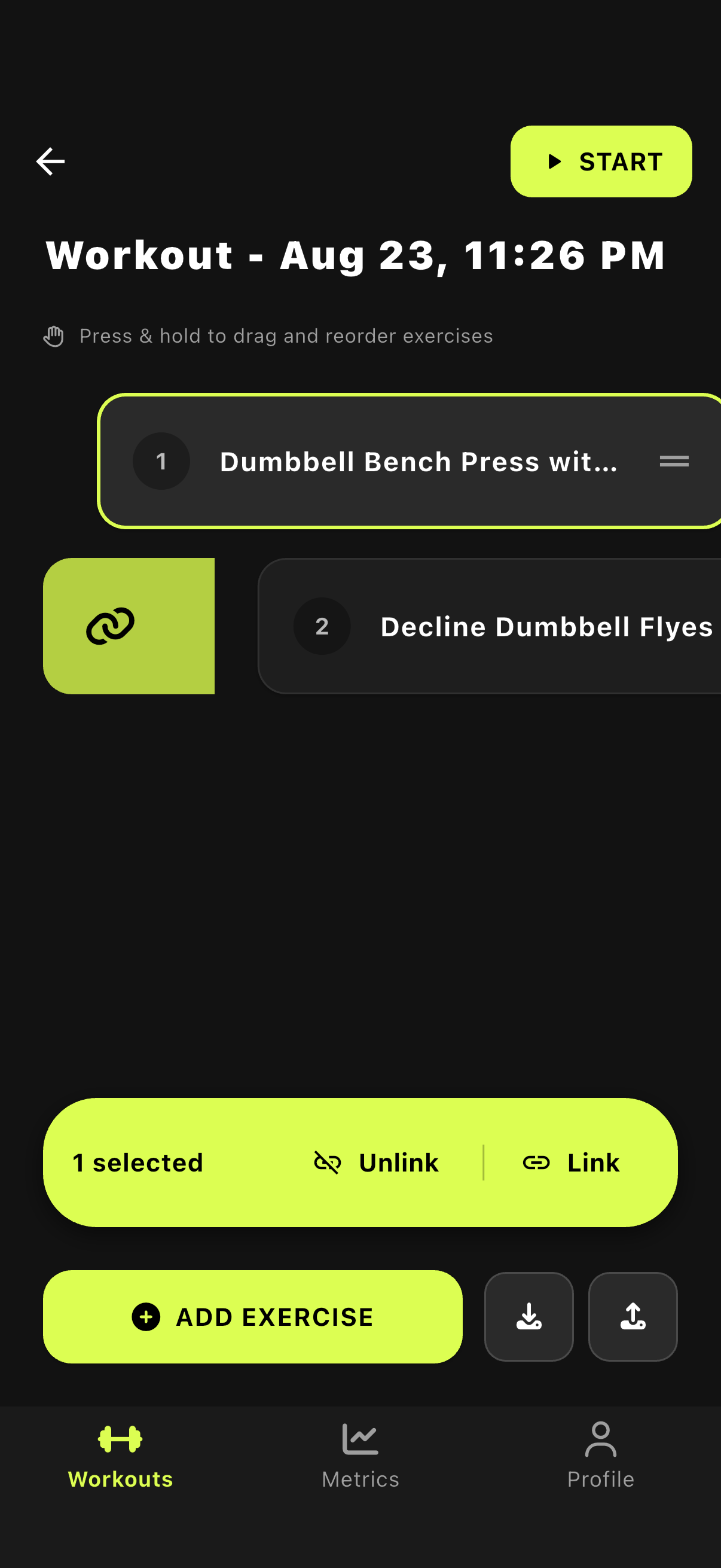
1. Select exercises to link
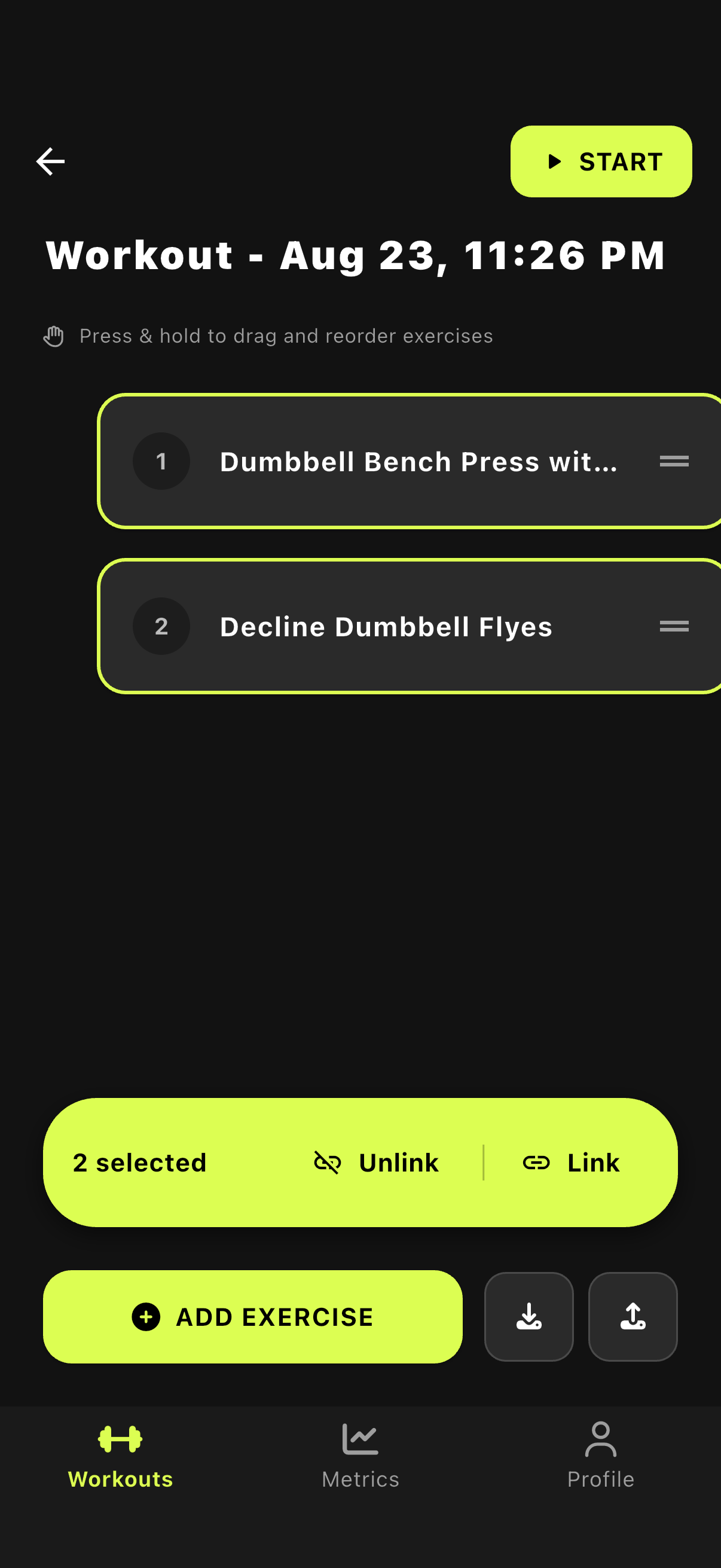
2. Tap the Link button
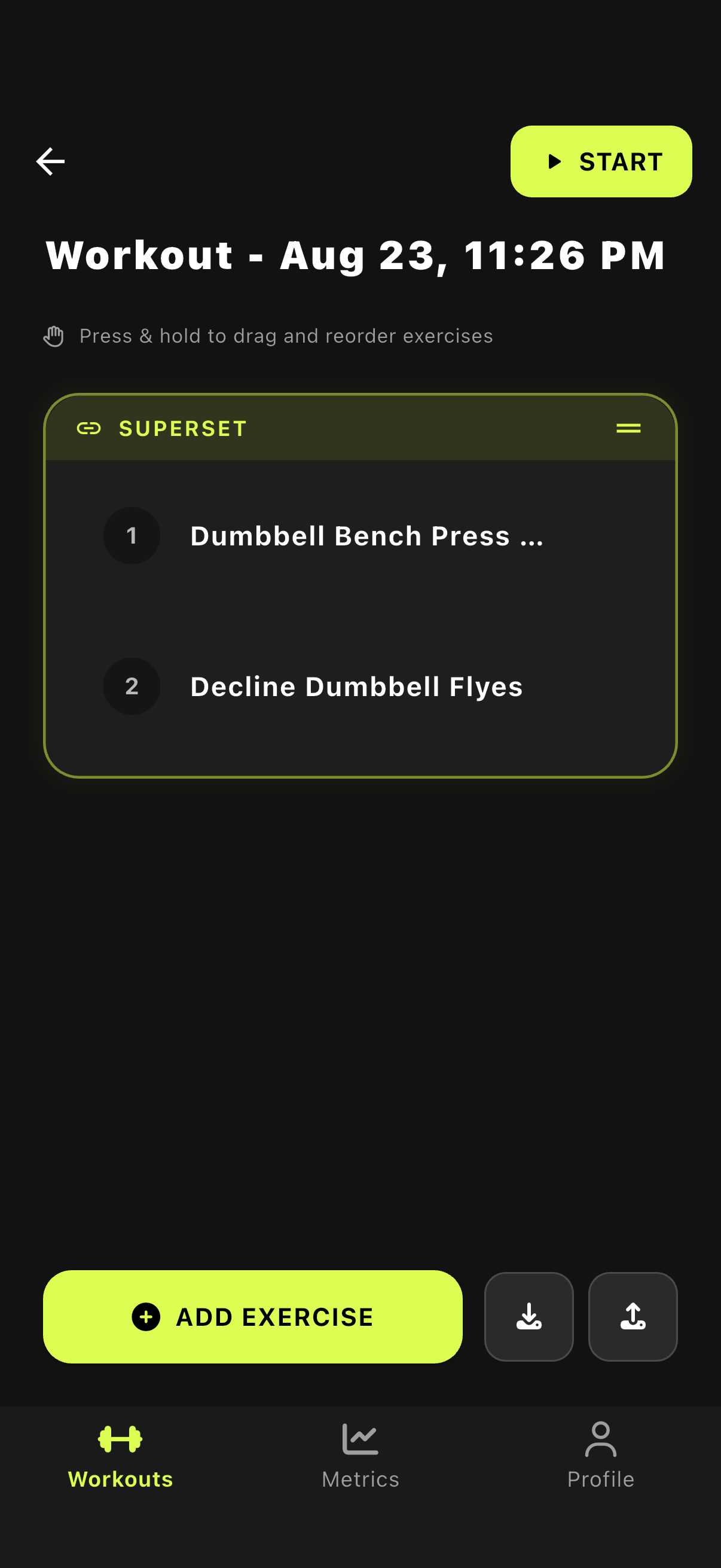
3. Exercises are linked